
Topic: Google Ads, Google Shopping Ads, Merchant Center, product feed, feed optimization
Google Shopping is one of my favorite campaign types that I offer. And there's a good reason for that: with Shopping, the return on ad spend is usually cleanly measurable. With a lead campaign, you're always poking around a bit in the dark. Was the form submission actually valuable, or off-topic? Does it turn into an inquiry, does the inquiry turn into a quote, and does the quote turn into a real deal? And if so, at what contract value and margin?
By the time it's clear whether your ad spend paid off, weeks have often passed. And a large part of it happens outside of Google, where I often can't even see it for optimization purposes.
With Shopping, the chain is shorter and more honest: a product gets clicked, a product gets bought, the sale price is unambiguous. Combined with your costs, that gives you a ROAS you don't have to philosophize about for long.
But that isn't even the biggest advantage of Shopping Ads: a Shopping ad catches the user right on the search results page. Through the Shopping tab and the rich results, your product appears with an image, price, and shop exactly where people are searching. If the user clicks at all (which costs you money), a purchase is already considerably more likely than with most Google Search Ads.
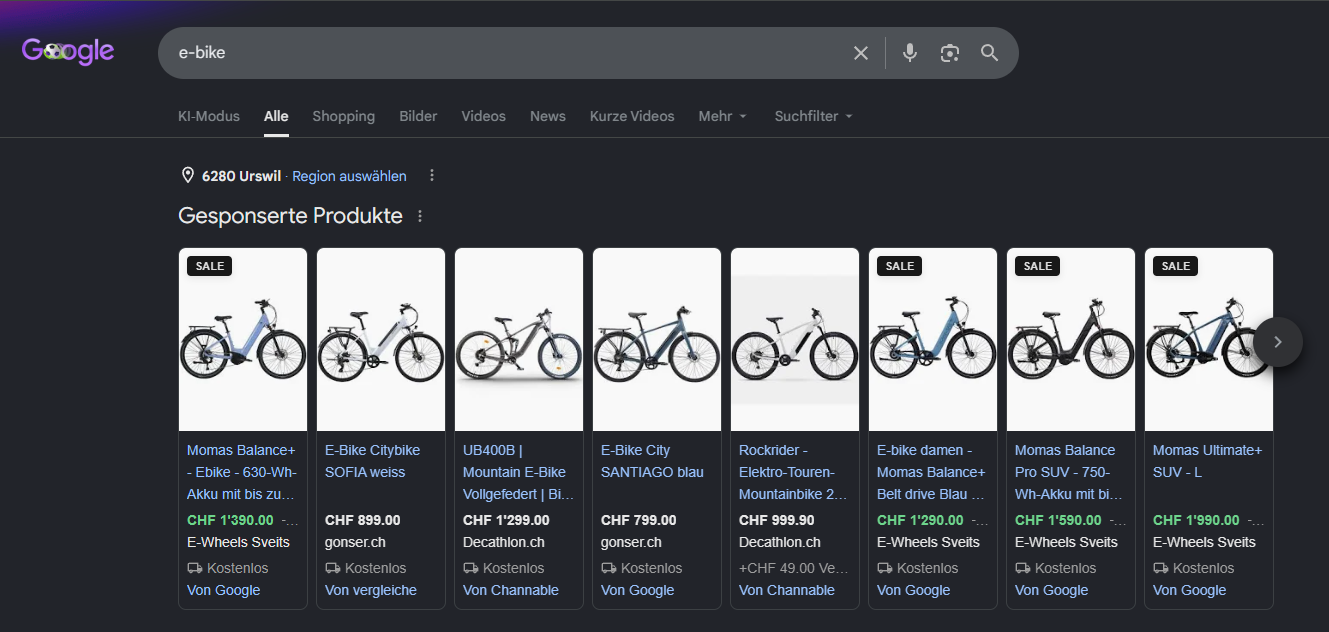
Example of Google Shopping Ads
So much for the arguments in favor of Google Shopping Ads. But here's the catch: with Shopping campaigns, you aren't advertising a page. You're advertising a product feed in the Google Merchant Center.
There are no keywords in Shopping Ads
With a Search campaign, you decide yourself which search queries you want to appear for. You add keywords, use match types to control how liberally Google may interpret them, and use negative keywords to exclude what doesn't fit. In short, you have the wheel firmly in your hands.
With Shopping, that lever disappears. You can only influence which search queries you appear for indirectly. Google decides which search queries are a good fit for you. And it does so based on your product feed in the Google Merchant Center.
Your product titles, descriptions, product types, and attributes: that's your entire communication with the auction and your way of steering how your ads are delivered. As long as Google understands your product, this works great. When Google reads "Nike running shoe men's size 44," Google knows—through the product category, similar entries, and historical data about them—which search queries your shoe should show up for best. No keyword needed. But niche products start to lose effectiveness right here.
The problem case: a product Google doesn't properly understand
A simple example: for many products there are accessible or adaptive variants (on the internet too, by the way) that are primarily meant for people with disabilities.
- Pants with magnetic closures or side zippers
- Spouted cups for adults with tremors
- Remote controls with large buttons for seniors or people with visual impairments.
They're usually a bit more expensive, or irrelevant to searches for the "common" variants of the product, and therefore rather unattractive to advertise to the broad mass of the population. But because Google only understands the product based on historical data, similarity, and categories, these products get served for often irrelevant search queries. To Google, these products are simply a pair of pants, baby gear, and a universal remote, and they get shown to people searching for those more generic products. Hardly anyone will buy them.
For the advertiser, the whole thing is treacherous, because—at first glance—the campaign looks like it's running correctly. Ads are shown, money is spent. It's just the advertising success that fails to materialize. And, in many cases at least, you don't even appear for the fitting search terms, because Google doesn't understand the connection that your spouted cup would be far more relevant for "aids for Parkinson's" than for "baby gear."
But you can nudge Google a little. And your most valuable adjustment screw for that actually lies outside the Google Ads UI: in the Merchant Center.
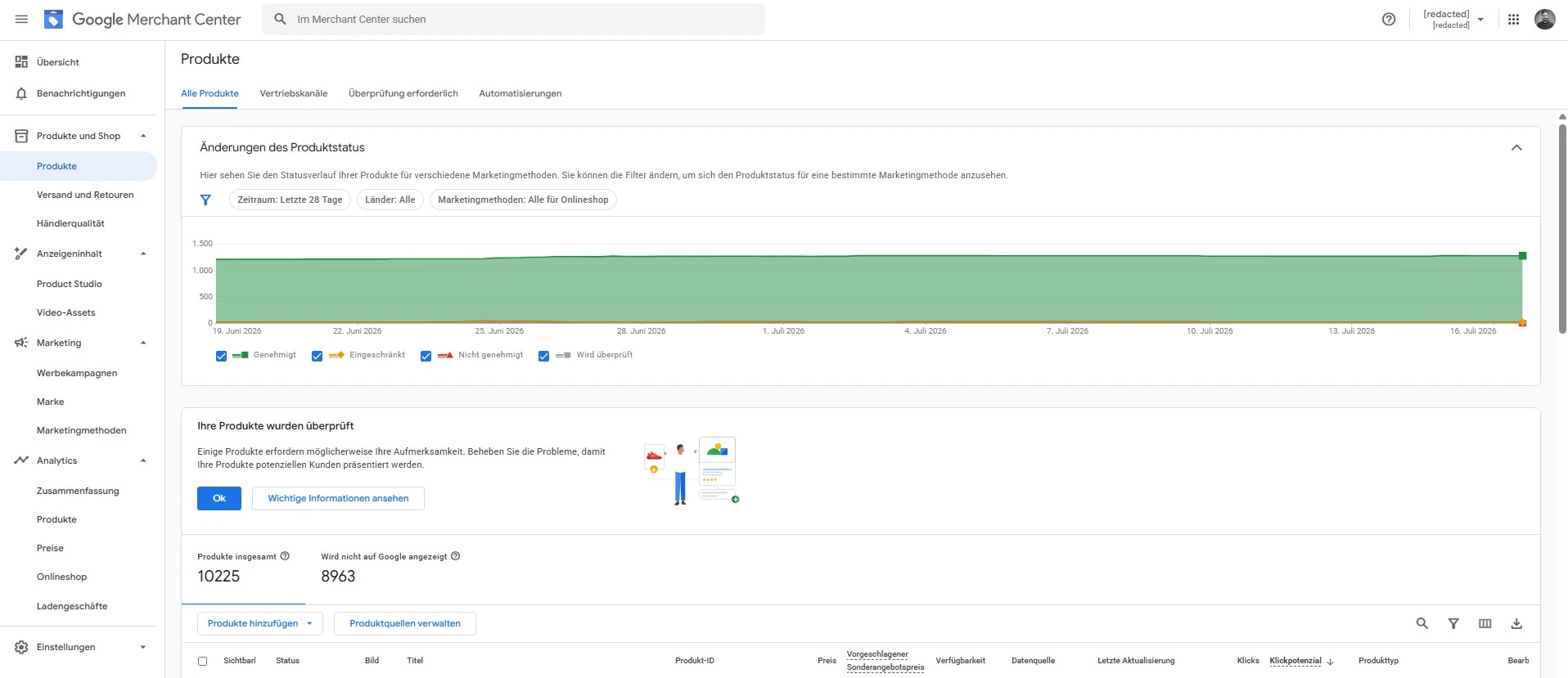
Google Merchant Center
Don't give Google the choice of how to understand your product
If the feed is the only language Google understands, then all the work lies exactly there too. You can't set keywords, but you can make it as hard as possible for Google to misclassify your product. With a few small tweaks and best practices, you can make it significantly less likely that Google serves you for the wrong search queries, and significantly more likely that you show up for the fitting ones.
The product title is your most important field
The most valuable lever is actually obvious. The problem is that you have to use it counterintuitively: the product title.
Google weights product titles extremely heavily. But many shops simply reuse the title that's already in the web shop. That looks correct, but underestimates the fact that users in your web shop have context that they lack in the search results. On your website "accessibility-shop.ch," an explanation in the title of who the product is intended for would be confusing and unnecessary. In the search results, however, it's essential.
In most cases, it's enough to flip or expand the title. The most relevant terms belong up front, because Google weights the first words most heavily. "Drinking cup model Aria," for example, becomes "Drinking aid for Parkinson's: Aria." "Goliath remote control with large buttons" becomes "Large buttons: remote control for seniors – Goliath."
Sounds ugly? Sometimes it is. But a slightly clunky title that appears for the right search query beats the elegant title that reaches no one. Just make sure your titles aren't misleading or engaging in keyword stuffing, since otherwise Google might reject the product.
The description as a second chance
Google also uses the product description for context. Not as strongly as the title, but strongly enough that it's worth explaining what makes the product so special.
That's why the description should reflect who the product is intended for, what problem it solves, or in what context people search for it. "Ideal for people with limited hand mobility," "everyday aid for wheelchair users," or "developed for home care" might feel like keyword stuffing, but they're simply honest signals meant to help Google interpret the product.
Product type and category
Google automatically assigns a product category (google_product_category). This is a fixed list from Google. And with niche products, it's often off, because the system goes for the most obvious similarity. For example, simply "Apparel & Accessories > Clothing > Pants" for our pants with magnetic closures. You can therefore adjust the product category, and I advise you to make it as precise as possible (e.g., "Health & Beauty > Health Care > Mobility & Accessibility > Accessibility Equipment"). You can find out how to do that here.
You also have the product_type field, which belongs to you and where you can enter your own hierarchy. "Aids > Drinking > Drinking aid for tremors" tells Google more about the context than any automatic assignment. This field often goes unmaintained, because it doesn't appear in the search results. But that underestimates how valuable it can be for the auction and for "what happens behind the scenes."
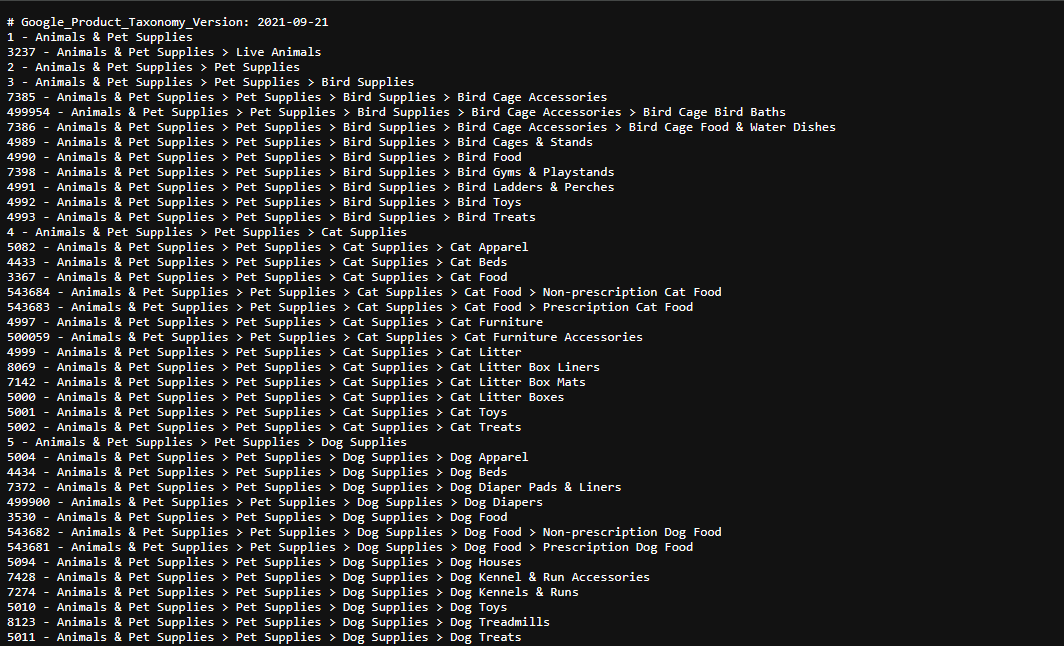
Excerpt from the available product categories
Exclude what doesn't fit
For the last step, we go back into Google Ads: some products get served for search queries where you simply don't want to appear, e.g., the generic variant that Google clings to. Negative keywords in the campaign help tell Google what you are NOT.
In the end, it's a translation problem
Shopping remains, for me, one of the most honest and rewarding campaign types out there. But with niche products, the work shifts. It no longer lies (mostly) in keywords, bids, and CPC audience adjustments, but almost entirely in the feed. You translate your product into a language Google understands. And the more "niche" the product, the more translation work. If you have a product that's hard to fit into boxes, and your Shopping campaign is running but somehow missing the right buyers, then the solution most likely lies in the Merchant Center and not in the campaign.
That's exactly where I'm happy to take a look together with you and review how Ads work best for you. A no-obligation initial conversation is just a short message away.
Or would you prefer email?
I usually get back to you within the next few hours. If you'd like, you can go ahead and explain what this is about and leave me a link to your website.